How Graid works
From answer key to graded papers in minutes. Here's the complete flow — for teachers and students.
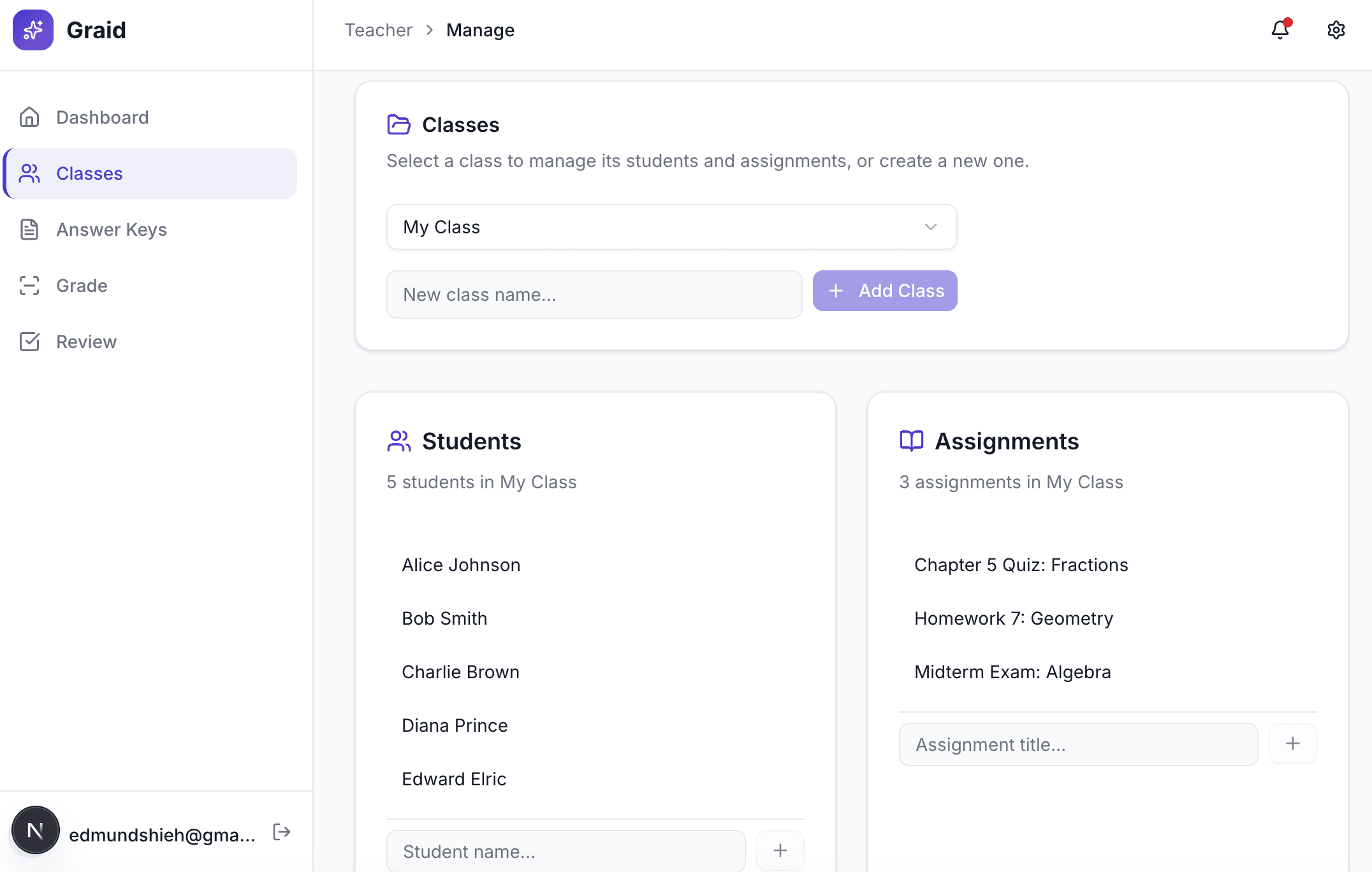
Create an Assignment
Name your assignment, choose a class, and you're ready to go. No complicated setup required.
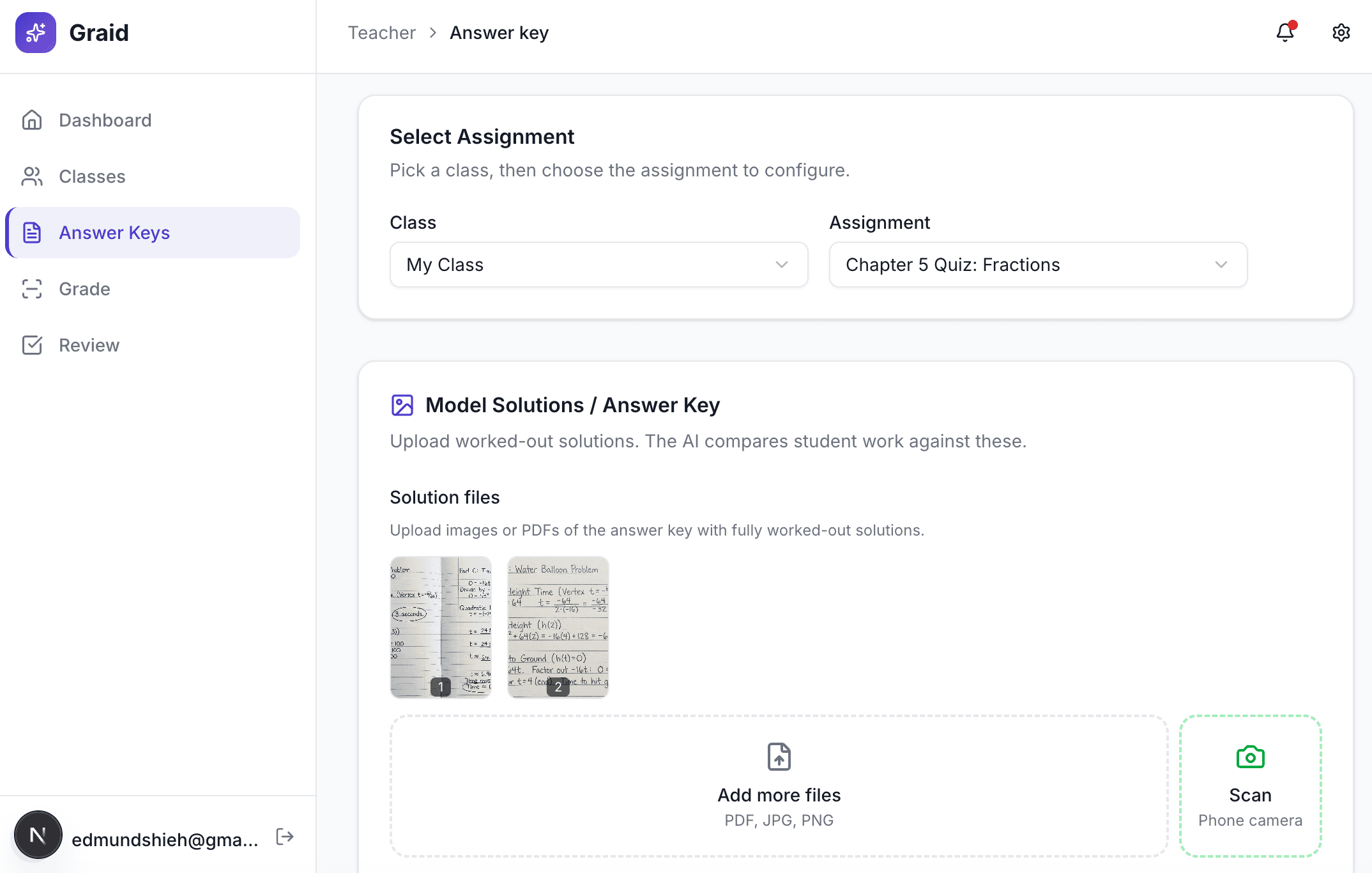
Upload Your Answer Key
Drop a photo or PDF of your answer key — handwritten or typed. You can also scan it directly from your phone using the QR code link.
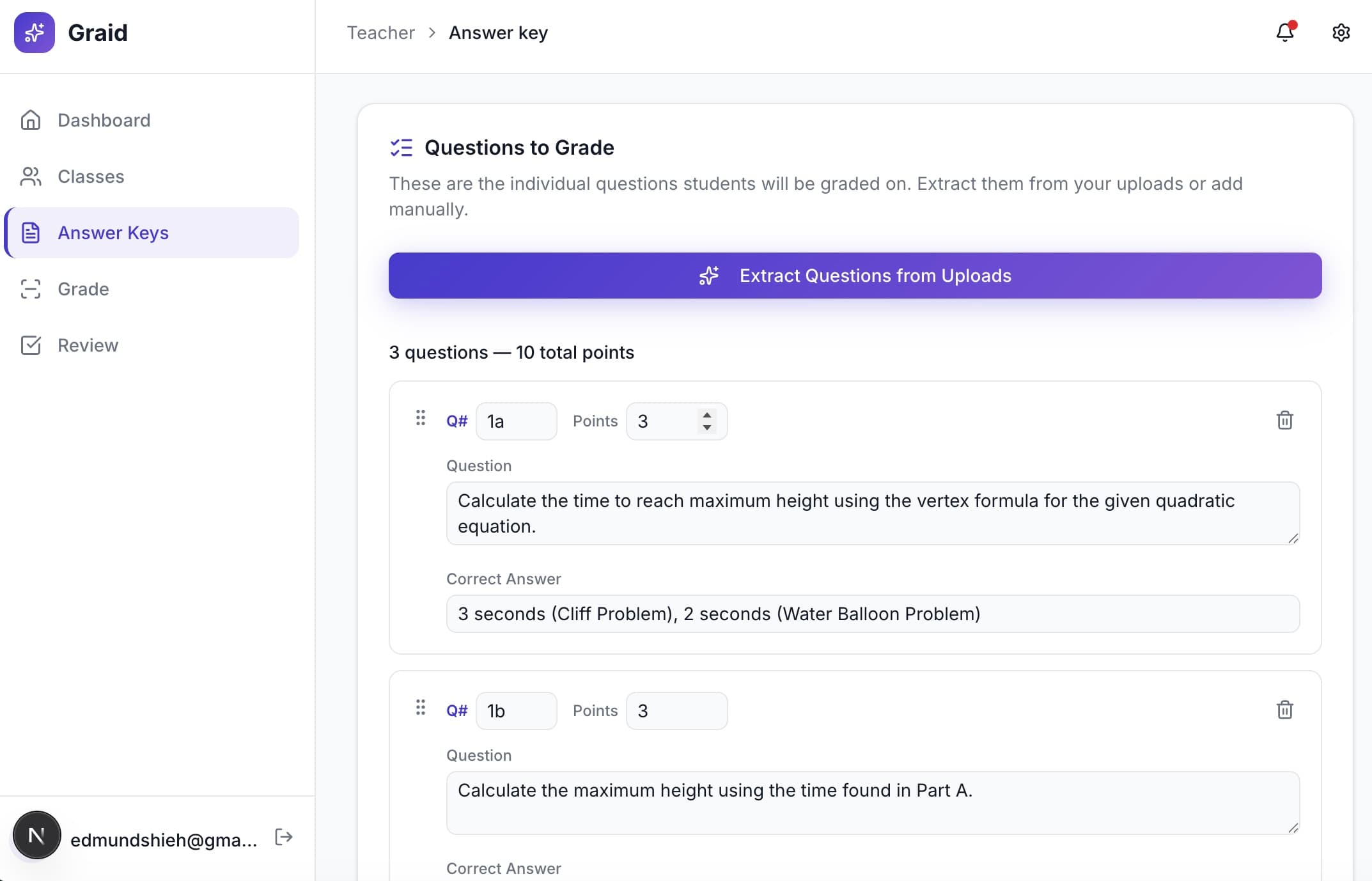
AI Extracts Questions & Rubric
Our AI reads your answer key and automatically identifies each question, the correct answers, and point values. You can review and adjust before moving on.
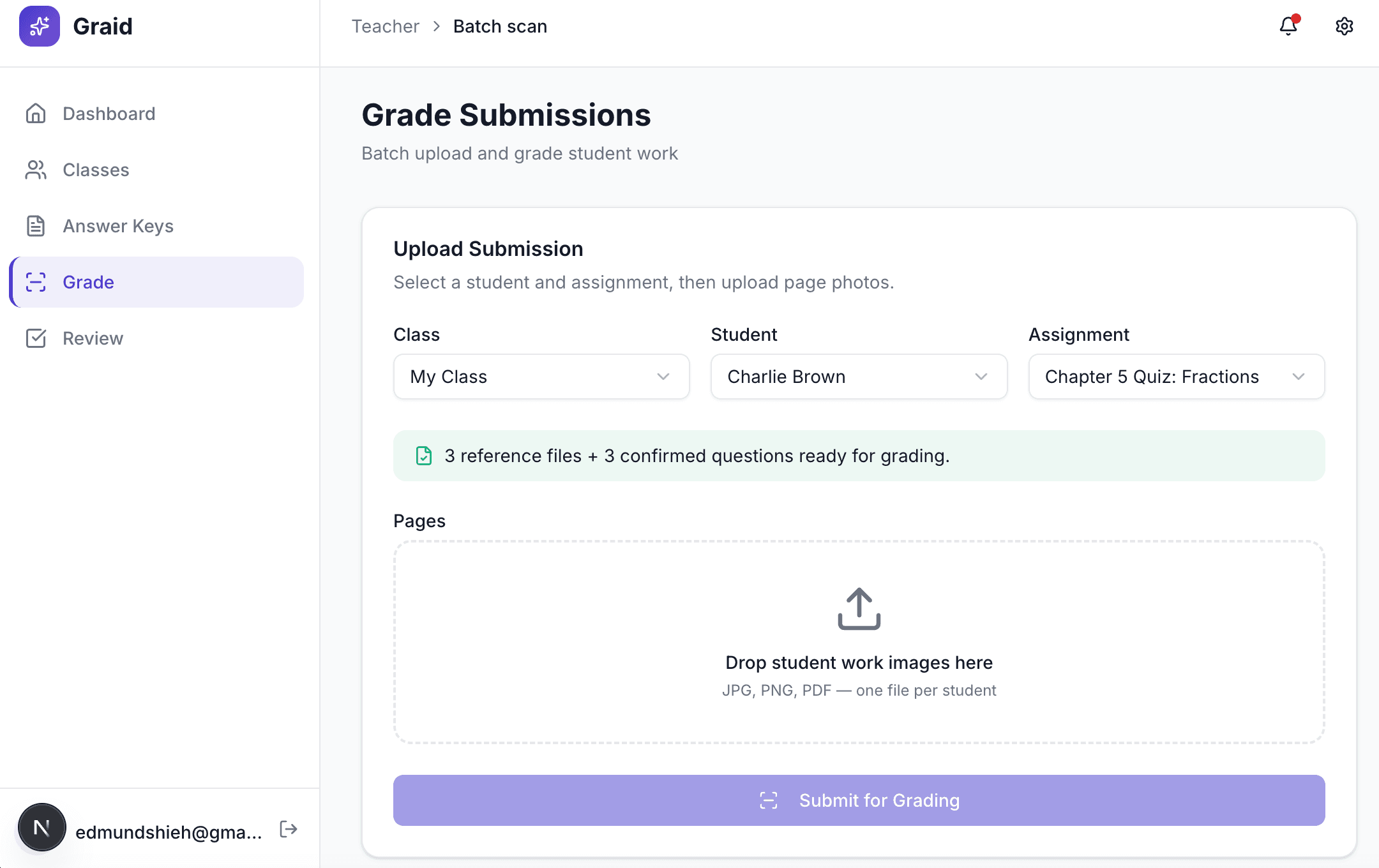
Students Scan Their Work
Share a QR code or link with your class. Students open it on their phone, snap a photo of their work, and submit — no app download or login needed.
AI Grades Every Submission
Each student's handwritten answers are read and graded against your rubric. The AI provides a score and explanation for every question.
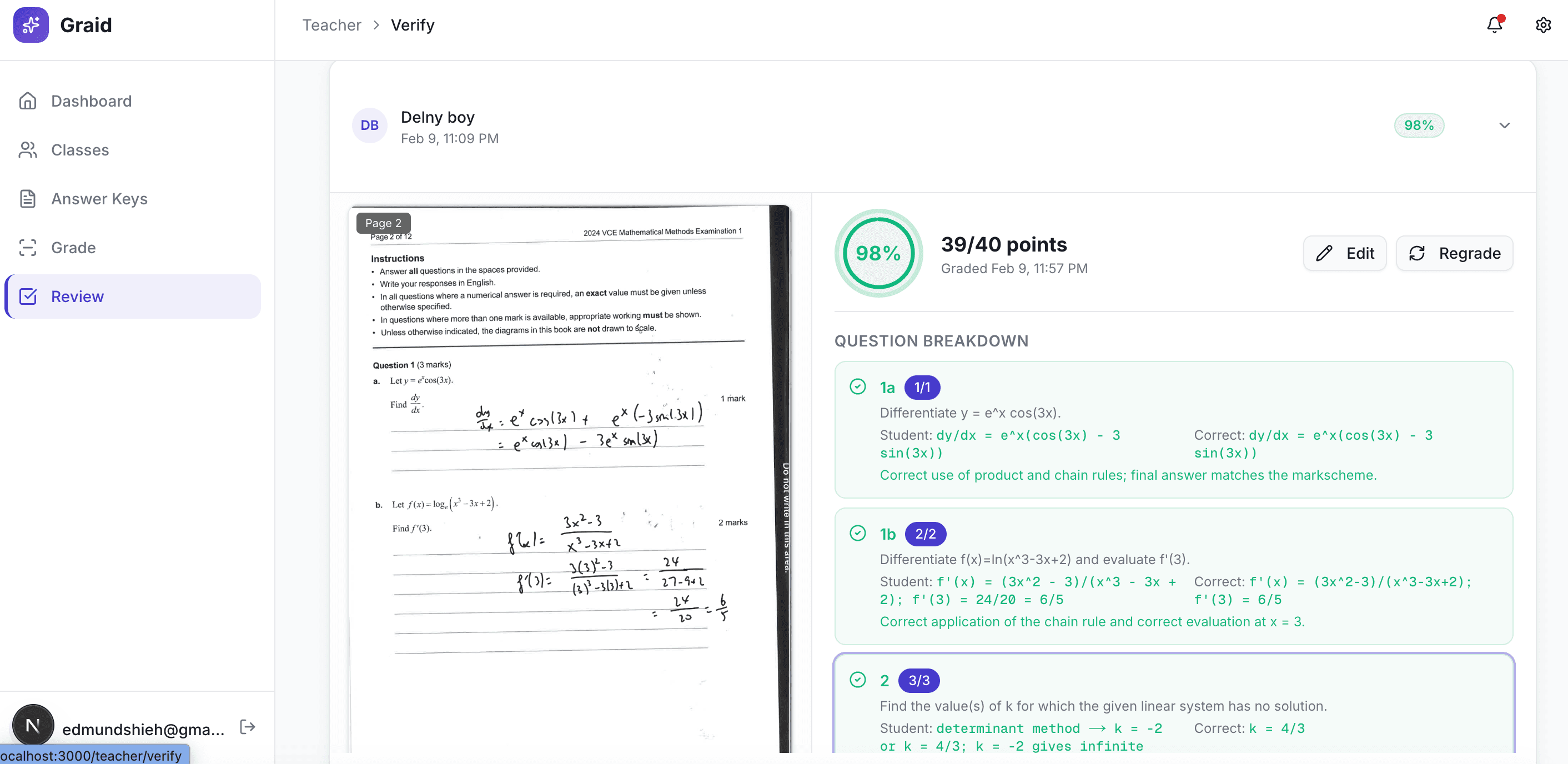
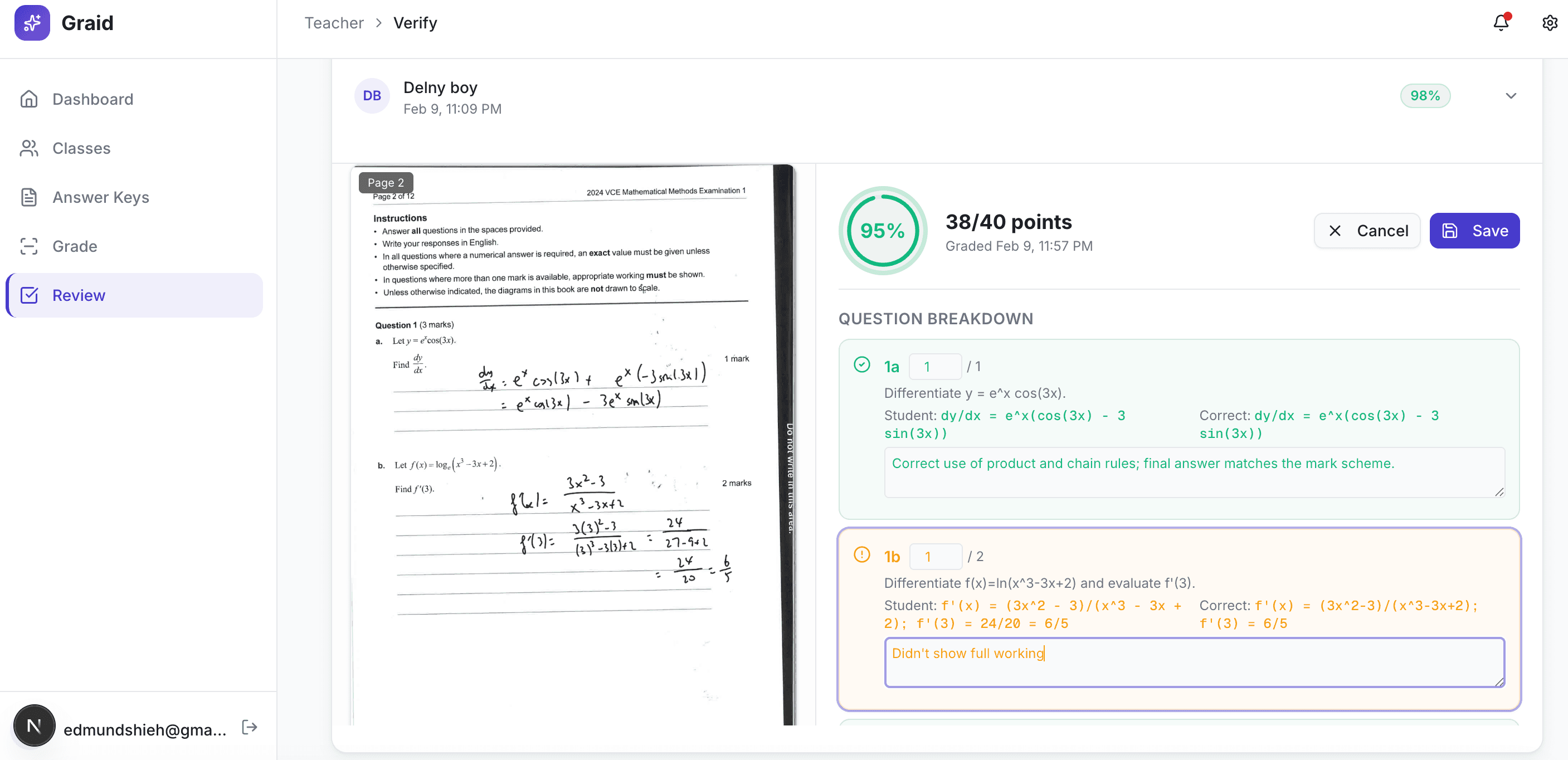
Review, Adjust & Return
See all grades at a glance with confidence flags. Override any score with one click, add comments, and export or return results to students.
Ready to save hours every week?
Join teachers who are spending less time marking and more time with their students.